Mobile App
-
How do I download the app?
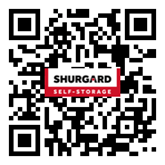
Download the Shurgard app in the app store or scan the QR code below:


-
How does the Shurgard app work for access?
Once you’ve downloaded the Shurgard app, you can use it to open gates, doors, and elevators at your storage facility with a single tap. No need to manually enter your access code at the keypad every time.
If you’re signed in as a customer
We automatically retrieve and store your access code in the app.
When you’re near a gate, door, or elevator, simply tap “Open” in the app to unlock it.If you’re signed in as a guest user
You’ll need to select your facility, enter your access code manually, and save it in the app.
When you’re near a gate, door, or elevator, tap “Open” in the app to unlock it.Important
To use the app to open gates and doors, you’ll need to enable Bluetooth on your phone.
On Android devices, location services must also be enabled so the app can communicate with the keypads. -
Do I still need to enter my access code with the app?
No, we have switched to app-only access at our facility to provide a safer, more seamless experience for all our customers. This means that the physical keypad at the entrance will no longer be used.
-
Can I manage my rental through the app?
Yes. In addition to opening gates, doors, and elevators, you can:
Manage your payments
- Consult and pay your invoices
- Enable AutoPay so you never miss another payment
- Manage your payment preferences
Manage your account
- Check your storage unit details
- Update your profile and contact details without a call or visit to your storage location.